Directory-Scoped Routing
Your working directory determines which tools are available. cd into a client project and only that client's MCP servers, credentials, and permissions are active. Like direnv for MCP.
MCPlexer — MCP Gateway by Revitt
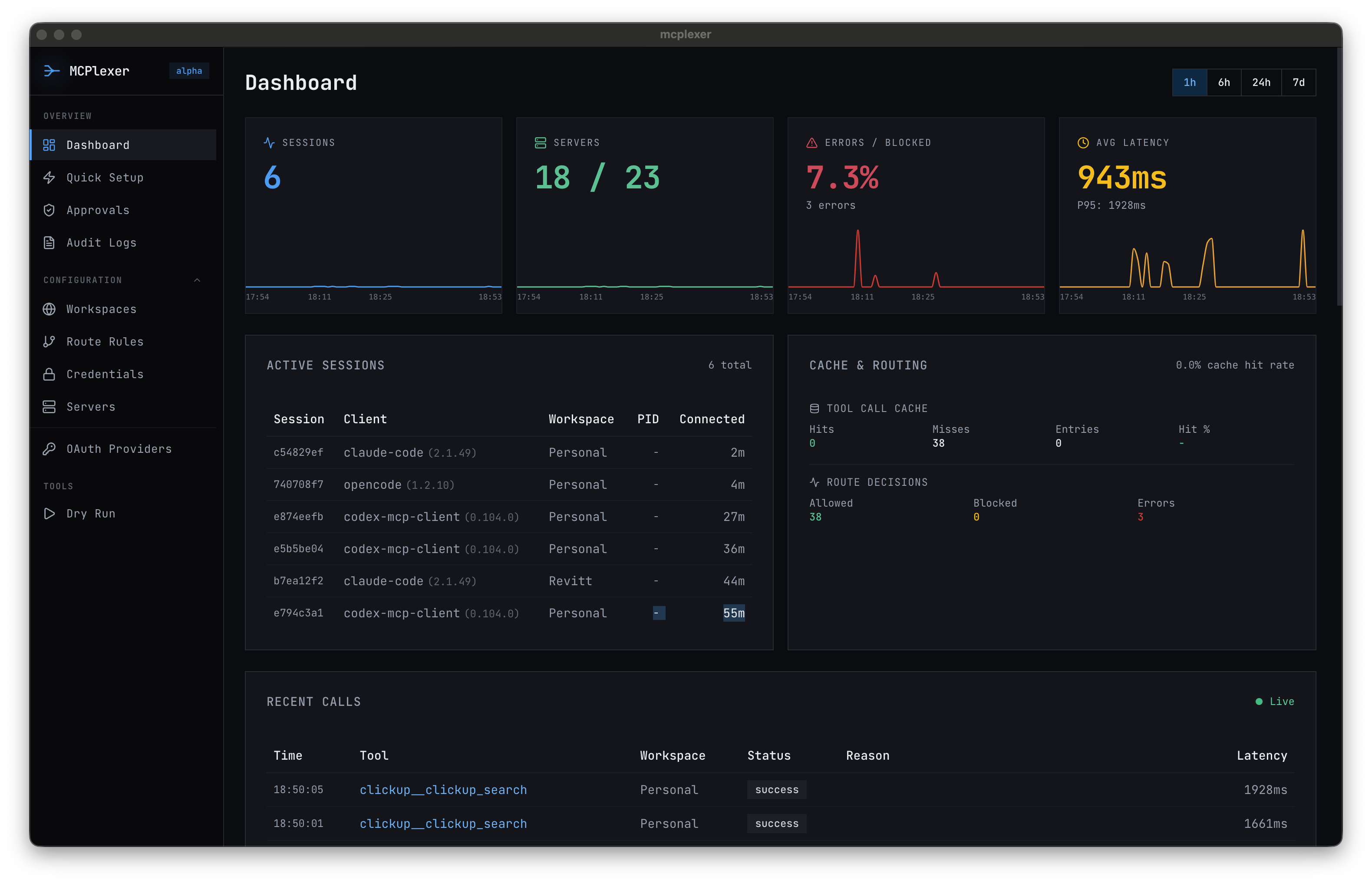
MCP has no concept of scope. When you work across multiple clients, every connected tool is available everywhere. MCPlexer adds directory-scoped routing and access control — so your AI agent working on Client A can't accidentally touch Client B's data.
Local-first · Desktop + CLI · Built by Revitt
What It Does
Your working directory determines which tools are available. cd into a client project and only that client's MCP servers, credentials, and permissions are active. Like direnv for MCP.
Every tool call requires an explicit allow rule. No accidental cross-client data access, no surprise Slack messages in the wrong workspace, no rogue database queries.
OAuth tokens and API keys are encrypted at rest with age encryption. Per-scope credential isolation means compromising one client's tokens doesn't expose another's.
Human-in-the-loop approval workflows for sensitive operations. Configure which tools require manual approval, even if the routing policy allows them. Full control over what AI agents can do autonomously.
MCPlexer is itself an MCP server. Your AI agent can discover tools across all connected servers, execute batched operations, and manage approval workflows — all through natural language. Ask Claude to check your routing configuration, audit recent tool calls, or connect a new server. Setup and ongoing governance become a conversation, not a config file.
Every tool call is logged with timestamps, parameters, and results. Redacted audit logs for client review. Evidence-ready records for compliance.
Setup in 3 Steps
Download the desktop app (macOS) or install the CLI. No cloud dependencies, runs locally on your machine.
Register your existing MCP servers (GitHub, Linear, Slack, databases, custom servers). MCPlexer manages their lifecycle and credentials.
Set directory-scoped policies: which servers, tools, and credentials are available in which project directories. Deny-first, explicit allow.
Built for Real Multi-Client Work
25+
Downstream servers supported
0
Cloud dependencies
macOS
Desktop app + CLI
∞
Clients safely isolated
We built MCPlexer because we needed it. As a consultancy working across multiple clients simultaneously, we couldn't risk AI agents leaking data between engagements. MCPlexer is what we use every day — directory-scoped OAuth, encrypted credential storage, audit logging, and human-in-the-loop approvals for sensitive operations.
Read the MCPlexer case study →What Our Users Say
“MCPlexer lets me sleep at night knowing our workspaces are locked to the relevant clients, with audit trails so when AI inevitably does something unexpected, we can find and fix it quickly. We're also seeing more intelligent tool use from Claude — the AI seems more capable with less context consumed by tool definitions and results.”
Common Questions
Any MCP client: Claude Desktop, Claude Code, Cursor, Windsurf, and any tool that supports the Model Context Protocol. MCPlexer sits between the client and your MCP servers as a transparent gateway.
MCPlexer takes 5 minutes to set up. Or book a call and we'll configure it for your team's specific workflow.