:// case study
mcplexer
Local-first, zero cloud dependencies
MCP gateway that enforces directory-scoped access policies for AI coding agents — preventing cross-client data leaks by design.
Get in touch about MCPlexer for your team
The Problem
AI coding agents are powerful. They read files, run commands, query APIs, create tasks, send messages. The Model Context Protocol (MCP) gives them a standard way to do all of this through tool servers.
The problem is scope. MCP has no concept of it.
If you work across multiple clients — different GitHub orgs, different task managers, different email accounts — every MCP server you connect is available to every project. Your AI agent working on Client A's codebase can read Client B's Slack channels, create tasks in Client C's ClickUp workspace, and query Client D's database. Not because it is malicious, but because nothing stops it.
For a consultancy like Revitt, where we handle sensitive client data across multiple engagements simultaneously, this is not a theoretical risk. It is a data leak waiting to happen. One misrouted tool call, one auto-completed context window pulling in the wrong project's data, and you have a confidentiality breach.
We looked for existing solutions. There were none. MCP servers are designed to be globally available. The protocol has no mechanism for scoping access by project, directory, or context. So we built one.
Why We Built It
The core insight is simple: your working directory already encodes project context. When you are in ~/work/client-a, you are working on Client A. When you are in ~/work/client-b, you are working on Client B. Your shell knows this. Your git config knows this. Your AI agent should know it too.
mcplexer uses the current working directory as the security primitive. You define policies that map directory patterns to MCP server access. When an AI agent requests a tool, mcplexer checks which directory the agent is operating in, evaluates the policy tree, and either routes the request to the correct server or denies it.
This is not a convenience feature. It is a security boundary.
Technical Approach
Deny-First Evaluation
Every tool request starts denied. Policies must explicitly grant access. There is no default-allow, no implicit inheritance that opens access you did not intend. If a directory has no policy, no tools are available. This is the only safe default when handling client data.
Directory Inheritance
Policies cascade from parent to child directories. A policy set at ~/work/revitt applies to all subdirectories unless overridden. A policy at ~/work/revitt/intervals-pro can grant additional access or restrict what the parent allows. This mirrors how file permissions work — familiar, predictable, auditable.
Human-in-the-Loop Controls
Some tools are too sensitive for automatic approval. mcplexer supports configurable approval workflows — you can require human confirmation before specific tools execute, even if the directory policy allows them. Write access to a production database? Prompt the user. Read access to local docs? Let it through.
Encrypted Credential Storage
MCP servers need credentials — API keys, tokens, OAuth flows. mcplexer stores these encrypted at rest, scoped to the same directory policies as the tools themselves. Client A's API keys are only decryptable when operating in Client A's directory tree. Even if an agent somehow bypassed the policy engine, the credentials would not be available.
Audit Trail
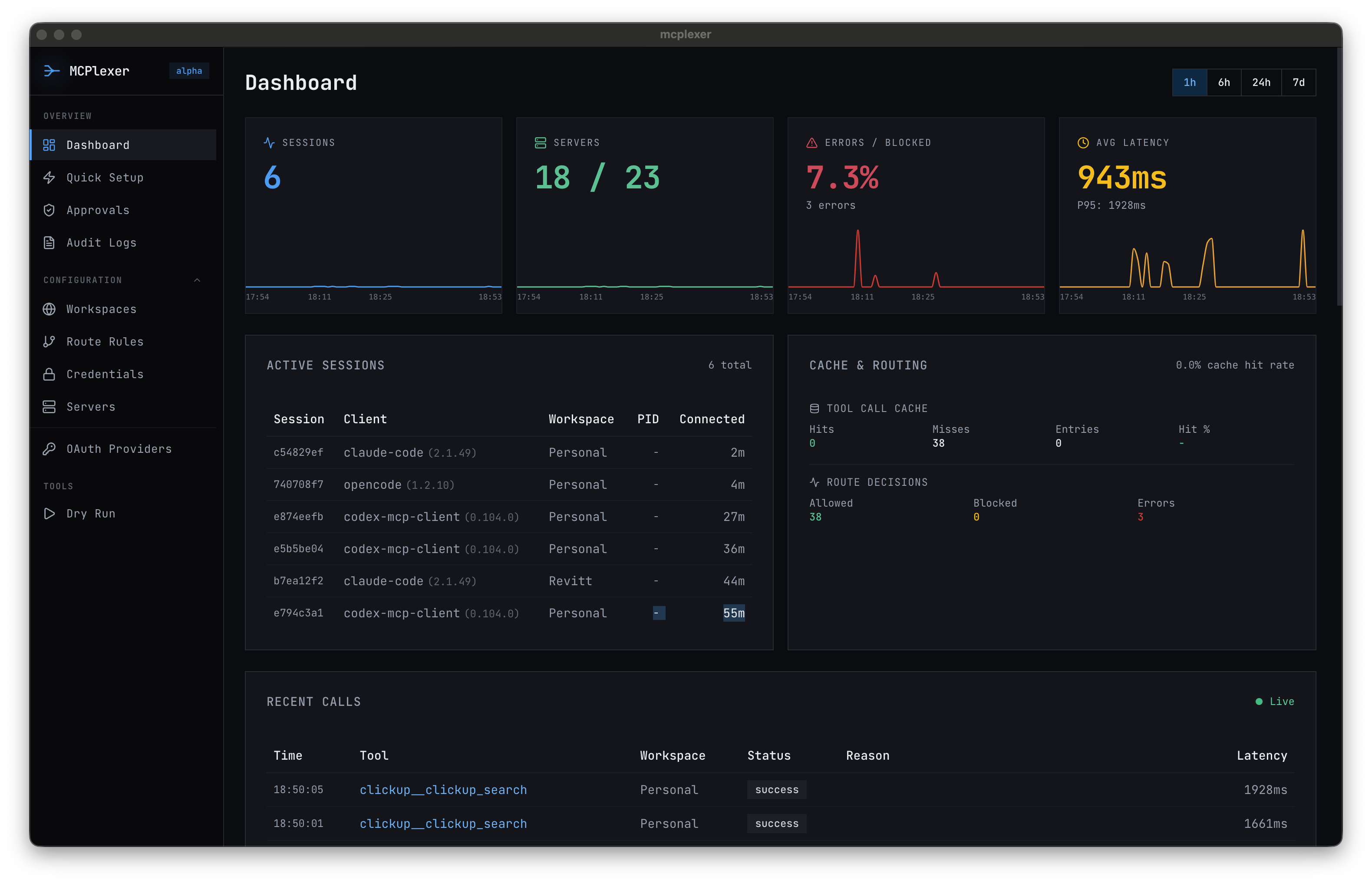
Every tool request, every routing decision, every approval or denial is logged. You can see exactly which tools were called, from which directory, at what time, and whether they were allowed or blocked. When a client asks "can your AI tools access our data from other projects?" the answer is provable, not just promised.
Architecture
mcplexer is a desktop app (macOS) with a CLI. SQLite for local state and audit logs. Everything runs on your machine — no cloud service, no external dependencies, no data leaving your environment.
Results
- Cross-client isolation enforced by default — no accidental data leaks between project contexts
- Zero-config for AI clients — agents connect to mcplexer, not individual servers; routing is transparent
- Auditable access decisions — every tool call logged with directory context, timestamp, and outcome
- Desktop app + CLI — local-first, no external dependencies
- Get in touch for pricing — tailored to your team size and workflow
Takeaway
MCP is a powerful protocol, but power without scope is a liability. mcplexer adds the missing layer: directory-aware routing that ensures your AI tools can only reach the servers appropriate for the project you are working on.
We built it because we needed it. Now it is available to teams who face the same multi-client isolation challenges.
If your team uses AI coding agents across multiple clients or projects, get in touch to discuss how MCPlexer fits into your workflow.